
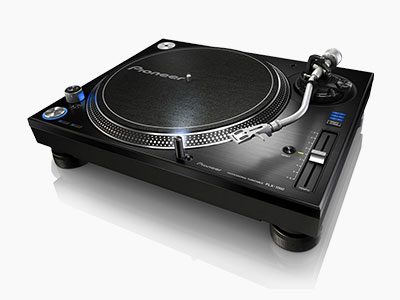
A turntable that won’t spin, runs at the wrong speed, hums or plays with no sound can be frustrating, especially when the record and the rest of your system seem fine. The good news is that most turntable faults come down to a handful of causes, and several of them are simple settings or connection problems you can check yourself. Here’s how to narrow down why your turntable isn’t working, the safe checks to try at home, and when it’s time to bring it to a technician.
First, is it the turntable or the rest of the system?
A turntable’s cartridge produces a very small signal that needs a phono stage (also called a phono preamp) before it reaches your amplifier. Some turntables have one built in, some amplifiers and receivers have a dedicated “Phono” input, and some systems need a separate phono stage box. If any part of that chain is missing, switched off or set wrongly, the turntable can seem faulty when it isn’t.
A quick test: if other sources such as a CD player or streamer play normally through the same amplifier and speakers, the problem is more likely in the turntable, its cable or the phono stage. If nothing plays, start with the amplifier. Our amplifier and AV receiver repair page covers the common faults there.
Turntable won’t spin
If the platter doesn’t turn at all, check the obvious things first: the power cable, the power switch, the wall outlet and, on some models, a separate power adaptor. If the power light comes on but the platter stays still, the most likely causes are:
- A broken or slipped belt. On belt-drive turntables, a rubber belt links the motor to the platter. Belts stretch, harden and eventually snap or slip off with age.
- A motor fault. If you can hear the motor hum but nothing moves, or there’s no sound from the motor at all, the motor or its drive circuit may have failed.
- Speed control or switch faults. Worn or dirty start and speed switches are common on older turntables and can stop the motor starting reliably.
Wrong speed or wavering pitch
Music that sounds too slow, too fast, or wobbles in pitch (often called wow and flutter) is one of the most common turntable complaints. Before assuming a fault, check that the speed selector matches the record: most LPs play at 33⅓ rpm and most 7-inch singles at 45 rpm. If your turntable has a pitch control, set it to its centre or zero position.
If the settings are right and the speed is still off, the usual causes are a stretched or glazed belt, a motor that has lost its consistency, or a fault in the speed control circuit. These are generally very repairable, and a technician can set the speed accurately once the cause is fixed.
No sound, or sound from only one side
If the platter turns and the stylus is in the groove but you hear nothing, or only one speaker plays, the fault is somewhere between the stylus and the amplifier. Common causes include:
- The amplifier is set to the wrong input, or the turntable is plugged into a line input with no phono stage, which gives very quiet, thin sound.
- A built-in phono stage switch is set to the wrong position for how the turntable is connected.
- A damaged or loose RCA cable, or a broken wire in the tonearm or headshell.
- A worn, damaged or missing stylus, or a cartridge that has failed on one channel.
Hum or buzz
A low hum that rises when you turn the volume up is very often an earth (ground) issue. Many turntables have a thin separate earth wire that needs to be connected to the earth terminal on the amplifier or phono stage. If it’s loose or missing, you’ll usually hear a steady hum. Hum can also come from cable routing near power leads, a faulty cable, or ageing components in the amplifier itself. Our guide to amplifier hum and buzz explains how to tell where it’s coming from.
Skipping, jumping or distorted sound
If the needle jumps grooves or the sound is harsh and distorted, check the record first. Try a few different records that you know are in good condition. If the problem follows every record, the likely causes are a worn or dirty stylus, incorrect tracking force or anti-skate settings, a turntable that isn’t level, or tonearm and cueing problems. Your owner’s manual will show the recommended tracking force and anti-skate settings for your cartridge.
Safe checks you can do at home
- Power cycle it. Switch off at the wall, wait a minute, then turn it back on.
- Check every cable. Make sure the RCA leads and earth wire are firmly connected, and try a different pair of RCA cables if you have one.
- Check the input and phono settings. Select the Phono input on your amplifier, or set the turntable’s built-in phono stage switch to suit how it’s connected.
- Check the speed setting and pitch control. Match the speed to the record and centre the pitch control.
- Look at the stylus. Gently remove any fluff with a soft stylus brush, brushing from back to front. If the stylus looks bent or missing, it needs replacing.
- Level the turntable. Place it on a firm, level surface away from speakers, which can cause feedback and rumble.
Please don’t open the turntable’s case or the plinth underneath. Many turntables, especially direct-drive models, have mains-powered motor and speed control circuits inside, and power supply components can hold a dangerous charge even after the unit is unplugged. Leave anything internal to a technician.
When to call a technician
- The platter won’t turn, or turns unevenly, even with the right speed selected.
- The speed drifts or the pitch wavers after the settings have been checked.
- There’s no sound, or sound from one side only, after you’ve tried other cables and the correct input.
- The tonearm lift, auto-return or cueing doesn’t work properly.
- You smell burning, see smoke, or the turntable trips the power. Switch it off at the wall and leave it unplugged.
Is it worth repairing?
Well-built turntables are often very worth repairing. Speed problems, motor and belt faults, tonearm and cueing issues, and noisy wiring are all common bench repairs. Our repair or replace guide walks through what to weigh up. We diagnose the fault on the bench and explain what’s wrong before any work goes ahead. A minimum diagnostic fee applies, and it comes off the final invoice if you go ahead with the repair. See our vintage hi-fi and turntable repair page for more on what we work on.
Frequently asked questions
Why is my turntable spinning but there’s no sound?
The most common reasons are the wrong input selected on the amplifier, a missing phono stage, a loose or faulty cable, or a damaged stylus. Check those first. If they’re all fine, the cartridge or tonearm wiring may need attention.
Can a turntable that runs at the wrong speed be fixed?
Yes. Speed problems are usually caused by a worn belt, a motor fault or a speed control fault, and are generally very repairable.
Why does my turntable hum?
A steady hum is often caused by a loose or unconnected earth wire between the turntable and the amplifier or phono stage. If connecting it doesn’t help, the cable, phono stage or amplifier may be at fault.
Do you charge to look at my turntable?
Yes. A minimum diagnostic fee applies, and it comes off the final invoice if you go ahead with the repair.
Turntable still not working? Bring it to our Minchinbury workshop, get a quote online, or call us on (02) 9675 5511.