
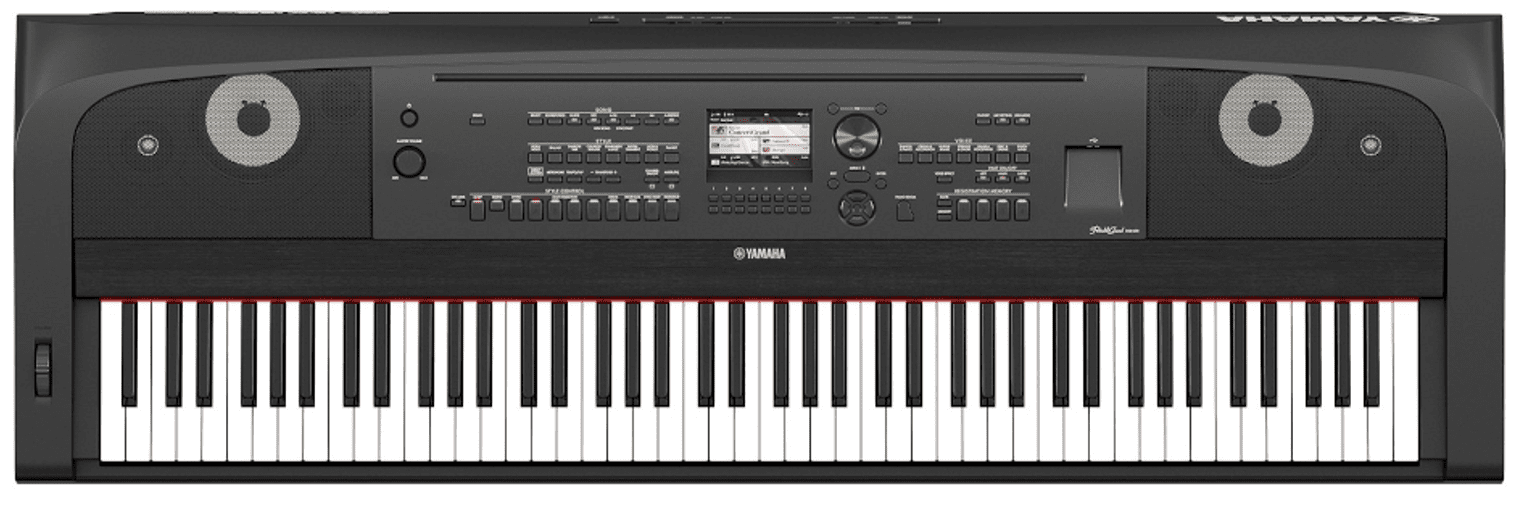
A digital piano that suddenly goes quiet, ignores some keys or won’t switch on can stop practice in its tracks. Unlike an acoustic piano, a digital piano relies on key sensors, a sound engine, an amplifier and speakers all working together, so one small fault can make the whole instrument seem dead. The good news is that many problems turn out to be a setting, a cable or a headphone socket, and the ones that aren’t are usually very repairable. Here’s how to work out why your digital piano isn’t working, the safe checks to try at home, and when to bring it to a technician.
Digital piano has no sound
No sound at all is the most common digital piano complaint we hear. Before assuming the worst, work through the simple causes:
- Master volume turned down. Many pianos have a slider or knob that’s easy to knock to zero, and some have a separate speaker on/off setting.
- Headphones plugged in. Most digital pianos mute the speakers when headphones are connected. A headphone adaptor left in the socket does the same thing.
- Local control switched off. If the piano has been used with a computer or app, a setting called Local Control can be left off, so the keys send data out but don’t play the internal sounds.
- Volume set to zero for a part or voice. Split, layer or registration settings can leave one voice muted. Resetting the piano to its factory settings, using the method in your owner’s manual, clears these.
If you hear sound through headphones but nothing from the speakers, the sound engine is working and the fault is further along. A worn or dirty headphone socket can stay “switched” to headphones even when nothing is plugged in, and the amplifier board or the speakers themselves can fail. These are common bench repairs.
Some keys don’t play, or play too loud or too soft
Each key on a digital piano presses on rubber contacts or optical sensors that tell the piano how hard and fast the key was played. When those contacts get dirty or worn, you’ll typically notice:
- A key, or a group of keys, that makes no sound at all.
- One key that always plays very loudly, no matter how gently you press it.
- Keys that only sound when pressed hard, or that play late.
- A whole section of the keyboard, often a run of eight or so keys, going silent together, which usually points to a contact strip or a ribbon cable rather than individual keys.
Check the touch sensitivity setting first. If it has been set to a heavy or fixed response, the piano can feel unresponsive or uneven. If the setting is normal and the problem stays with the same keys, the key contacts or sensor board need cleaning or replacing. If keys are physically sticking or slow to return, that’s a different problem. Our guide to Clavinova sticky keys explains the usual causes, and most of it applies to other brands too.
Digital piano won’t turn on
If nothing lights up when you press the power button, check the power lead is fully seated at both ends, try another wall outlet, and for portable models check the power adaptor. Adaptors are easy to swap with a similar-looking one from another device, and the wrong voltage or polarity can stop the piano working or damage it. Use only the adaptor that came with the piano or the replacement specified in its manual.
Many digital pianos also have an auto power-off feature that switches them off after a period without use. If yours turns itself off while you’re playing, or shuts down randomly, that points to a power supply or main board fault rather than a setting. If it powers up but the display is blank or the buttons don’t respond, the control panel or its connecting cable may be at fault.
Buzzing, rattling or distorted sound
A buzz or rattle that only appears on certain notes is often something loose: an item sitting on top of the piano, a music stand, a cabinet panel or a speaker grille. Try playing with everything removed from the top of the piano. If the buzz follows certain notes at higher volume and sounds rough or crackly, a speaker may be damaged or the amplifier may be distorting. A steady hum that’s there even when you’re not playing is more likely an amplifier or power supply issue.
Safe checks you can do at home
- Power cycle it. Switch off, unplug at the wall, wait a minute, then turn it back on.
- Check volume and headphones. Turn the master volume up, unplug any headphones or adaptors, and check the speaker setting is on.
- Reset to factory settings. Your owner’s manual will show how. This clears muted voices, Local Control and touch settings. Note that it may also erase saved settings and recordings.
- Check cables and pedals. Reseat the power lead or adaptor and the pedal plug, then switch on again.
- Look for debris. With the piano switched off and unplugged, shine a torch between the keys for coins, pens or paper clips. Don’t spray cleaners or lubricants into the keys.
Please don’t remove the piano’s back panel, base or key cover. Digital pianos have mains-powered supply and amplifier boards inside, and the key action and contact strips are easily damaged if they’re disturbed. Leave anything internal to a technician. If your piano is still under warranty, opening it may also affect your cover.
When to call a technician
- There’s no sound from the speakers after the settings and headphone checks above.
- Keys stay silent, play at the wrong volume or play late after a factory reset.
- It won’t power on with the correct power lead or adaptor, or it switches off by itself.
- The display, buttons or built-in pedals don’t respond.
- Liquid has been spilled on it, or you smell burning. Switch it off at the wall and leave it unplugged.
Is it worth repairing?
Usually, yes. Most digital piano faults come down to a key contact strip, a headphone socket, a single board or a pedal cable, and good digital pianos are expensive to replace. Our repair or replace guide walks through what to weigh up. With console pianos, many faults can be repaired by removing the key action or a single board, so call us first and we’ll tell you what to bring in. See our digital piano and keyboard repair page for the instruments and brands we work on. We’re also a listed Yamaha service centre, covering Clavinova, Arius and P-series pianos.
Frequently asked questions
Why does my digital piano have no sound?
The most common causes are the volume turned down, headphones or an adaptor left plugged in, or Local Control switched off. If those are fine and you hear sound through headphones but not the speakers, the headphone socket, amplifier or speakers may be faulty.
Why do some keys on my digital piano not work?
Silent or uneven keys are usually caused by dirty or worn key contacts or sensors. If a whole group of keys stops together, a contact strip or ribbon cable is more likely. Both are repairable.
Can I fix digital piano keys myself?
You can check the touch settings, do a factory reset and look for debris with a torch while the piano is unplugged. Cleaning or replacing key contacts means taking the key action apart, which is best left to a technician.
Do you repair brands other than Yamaha?
Yes. We also repair Roland, Kawai, Casio, Korg, Nord and Kurzweil digital pianos, stage pianos and keyboards out of warranty.
Digital piano still not working? Bring it to our Minchinbury workshop, get a quote online, or call us on (02) 9675 5511.