
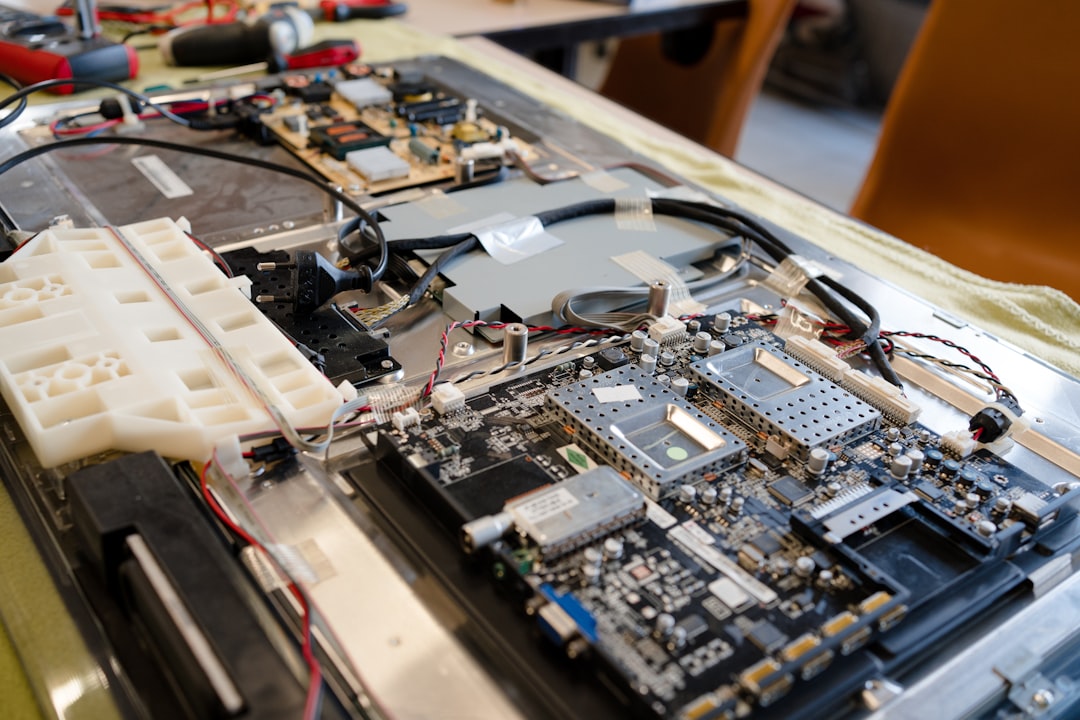
A TV screen problem can mean very different things. A cracked panel, thin lines running across the picture, a dark or patchy image, or sound with no picture at all can each come from a different part of the TV. Some of those faults are well worth repairing and some aren’t. Here’s how to tell which is which, the checks you can safely do at home, and when to bring the TV to a technician.
Cracked or physically damaged screens
If the TV has been hit, dropped or knocked over, you’ll usually see a spider-web crack, black or coloured blotches spreading out from one point, or a picture that only shows on part of the screen. Sometimes the front looks fine, but pressure from behind or in front has damaged the layers inside the panel.
A cracked LCD, LED, QLED or OLED panel can’t be patched, glued or polished out. The only fix is a complete replacement panel, and the panel is the most expensive part of a modern TV. On many models a new panel costs close to the price of a new TV, and some panels aren’t sold separately at all. That’s why, for most cracked screens, replacing the TV ends up being the sensible choice.
If the damage was accidental, check your home and contents insurance, as some policies cover it. Insurers usually want a technician’s report on the cause of the damage and whether the TV can be economically repaired. We prepare TV insurance damage reports for exactly this.
Lines on the screen
Vertical or horizontal lines are one of the most common screen faults. They can be single coloured lines, wide bands, or a section of the picture that looks frozen or scrambled. The cause is usually one of three things:
- The panel itself. Panels are driven through fine ribbon connections bonded along the top or side edge of the glass. When one of those connections fails, you get a line or band that stays in exactly the same place. This is normally a panel fault.
- The timing control (T-con) board. This board passes the picture signal to the panel. A faulty T-con board or a loose ribbon cable can cause lines, a doubled or scrambled image, or strange colours, and it’s often repairable.
- The source or input. If the lines only show on one input, the problem may be the HDMI cable, the connected device or that input on the TV rather than the screen.
Lines that appeared straight after a knock or pressure on the screen are almost always panel damage. Lines that come and go, change as the TV warms up, or arrive together with a scrambled picture are more likely to be a board or connection fault, and that’s worth having diagnosed.
Dark, dim or patchy picture
Most LCD TVs, including the ones sold as LED or QLED, are lit from behind by strips of LEDs. As those LEDs age, one can fail and take a whole strip, or the whole backlight, with it. Typical signs are:
- Sound works but the screen stays black, or the picture flashes up for a second and then disappears.
- Dark patches, dark bands, or one half of the screen darker than the other.
- Blue or purple tinted patches, or uneven brightness across the picture.
Backlight faults are often worth repairing because the panel itself is usually undamaged. The repair means carefully separating the screen layers to reach the LED strips behind them, which is bench work for a technician. If you have a Samsung that’s showing these symptoms, our guide to Samsung TVs with sound but no picture covers the checks in more detail.
OLED TVs are different. They have no backlight because each pixel makes its own light, so a dark or patchy OLED picture points to other causes, such as the panel or its power and control boards.
Safe checks before you book a repair
- Power cycle it. Switch the TV off at the wall for a couple of minutes, then turn it back on. This clears software glitches that can look like a screen fault.
- Open the TV’s own menu. If the settings menu looks clean but the picture from your set-top box, streaming stick or console doesn’t, the fault is more likely the source, the cable or the input. Try a different HDMI cable and port.
- Do the torch test. If there’s sound but a black screen, dim the room and shine a torch closely at the screen while something is playing. If you can faintly make out the picture, the backlight has most likely failed.
- Check the picture settings. Energy-saving modes, light sensors and low backlight or brightness settings can make a picture look very dim. Try resetting the picture settings to default.
- Update the firmware. If the TV still responds, check for a software update in the settings menu.
- Don’t press on the screen. Pushing on the panel to see if lines move can cause new damage.
Please don’t take the back cover off. The power supply inside a TV has components that can hold a dangerous charge even after it’s unplugged, and the screen layers are easily damaged once they’re disturbed. Leave anything internal to a technician.
Is it worth repairing?
It depends on the fault and the TV. A backlight, T-con or power supply fault on a good-quality, larger TV is often worth fixing. A cracked panel on an older or smaller TV usually isn’t. Our repair or replace guide walks through what to weigh up.
We diagnose the fault on the bench and explain what’s wrong and what the repair involves before any work goes ahead. A minimum diagnostic fee applies, and it comes off the final invoice if you go ahead with the repair. If your TV is still under the manufacturer’s warranty, contact the manufacturer first; for example, Samsung warranty repairs go through Samsung Australia. For out-of-warranty TVs, see our TV repair page.
When to call a technician
- There’s sound but no picture, and the torch test shows a faint image.
- Lines, bands or a scrambled picture appear on every input, including the TV’s own menu.
- Dark patches or uneven brightness remain after resetting the picture settings.
- The screen has been damaged and you need a report for an insurance claim.
Frequently asked questions
Can a cracked TV screen be repaired?
Not by fixing the glass. The whole panel has to be replaced, and because the panel is the most expensive part of the TV, that often isn’t economical. If the damage was accidental, an insurance damage report can support your claim.
Why does my TV have sound but no picture?
On LED-backlit TVs the most common cause is a failed backlight. Try the torch test: if you can faintly see the picture, the backlight is the likely fault, and that’s usually repairable without replacing the panel.
Can lines on a TV screen be fixed?
Sometimes. Lines caused by a faulty T-con board or a loose ribbon cable can often be repaired. Lines that stay fixed in one place, especially after a knock, usually mean the panel has failed and would need replacing.
Do you charge to look at my TV?
Yes. A minimum diagnostic fee applies, and it comes off the final invoice if you go ahead with the repair.
Got a TV with a screen fault? Bring it to our Minchinbury workshop, get a quote online, or call us on (02) 9675 5511.